4 · 原书 128–173 页队列管理
4.1本章引言与范围
“队列(Queues)”提供任务到任务、任务到中断、中断到任务的通信机制。本章帮助读者理解:如何创建队列;队列如何管理所含数据;如何向队列发送数据、如何从队列接收数据;在队列上阻塞意味着什么;如何在多个队列上阻塞;如何覆盖队列中的数据;如何清空队列;读写队列时任务优先级产生的影响。
4.2队列的特性
4.2.1数据存储
队列可以容纳有限数量、固定大小的数据项。队列可容纳的最大项数称为其“长度(length)”;长度与每个数据项的大小都在队列创建时设定。
队列通常作为先进先出(FIFO)缓冲区使用:数据写入队列末尾(尾部),从队列前端(头部)移除。图 31 演示了作为 FIFO 使用时数据的写入与读出;也可以写入队列前端,或覆盖已在队列前端的数据。
队列行为有两种可能的实现方式:① 按拷贝排队:发送到队列的数据逐字节拷贝进队列;② 按引用排队:队列只保存指向数据的指针,不保存数据本身。FreeRTOS 采用按拷贝方案。按拷贝被认为比按引用同时更强大、更易用,原因如下:
- 栈变量可以直接发送到队列,即使声明它的函数退出后该变量已不存在;
- 数据无需先分配缓冲区、再把数据拷进缓冲区即可发送到队列;
- 发送任务可以立即复用被发送的变量或缓冲区;
- 发送任务与接收任务完全解耦——应用设计者无需关心“谁拥有”数据、谁负责释放数据;
- 按拷贝并不妨碍队列仍可按引用使用:当被排队数据太大、不便于拷贝进队列时,可以改为把指向数据的指针拷贝进队列;
- 存放数据所用内存完全由 RTOS 负责分配;
- 在内存保护系统中,任务可访问的 RAM 受限。按引用排队只有在收发任务都能访问存放数据的 RAM 时才能使用;按拷贝没有这一限制——内核始终以完整特权运行,允许用队列跨内存保护边界传递数据。
4.2.2多任务访问
队列本身是独立对象,任何知道其存在的任务或 ISR 都可访问。任意数量任务可以写同一队列,任意数量任务可以读同一队列。实践中,队列有多个写者很常见,有多个读者则少见得多。
4.2.3在队列读取上阻塞
任务尝试读队列时可以可选地指定“阻塞时间”:若队列已空,任务将在阻塞态等待数据可用,等待时长即该阻塞时间。处于阻塞态等待队列数据的任务,在另一任务或中断向队列放入数据时自动移入就绪态;若指定阻塞时间在数据可用前到期,任务也会自动从阻塞态移入就绪态。
队列可以有多个读者,因此单个队列上可能有多个任务阻塞等待数据。此时数据可用时只会解除一个任务的阻塞:被解除阻塞的总是等待数据的最高优先级任务;若阻塞任务优先级相同,则等待最久的任务被解除阻塞。
4.2.4在队列写入上阻塞
与读队列一样,写队列时也可以可选指定阻塞时间:若队列已满,阻塞时间是任务在阻塞态等待队列出现空位的最长时间。队列可以有多个写者,因此满队列上可能有多个任务阻塞等待完成发送;空位出现时只解除一个任务阻塞,规则与读队列相同:最高优先级者优先,同优先级等待最久者优先。
4.2.5在多个队列上阻塞
队列可以分组为集合,使任务进入阻塞态,等待集合中任一队列出现数据。队列集在 4.6 节“从多个队列接收”中演示。
4.3使用队列
4.3.1xQueueCreate() API 函数
队列必须显式创建后才能使用。队列通过句柄引用,句柄为 QueueHandle_t 类型变量。xQueueCreate() 创建队列并返回引用该队列的 QueueHandle_t。
FreeRTOS V9.0.0 还提供 xQueueCreateStatic(),在编译期静态分配创建队列所需内存。创建队列时 FreeRTOS 从 FreeRTOS 堆分配 RAM,同时用于存放队列数据结构与队列所含项;若堆 RAM 不足,xQueueCreate() 返回 NULL。堆详见第 2 章。
QueueHandle_t xQueueCreate( UBaseType_t uxQueueLength, UBaseType_t uxItemSize );
| 参数名 / 返回值 | 说明 |
|---|---|
| uxQueueLength | 所创建队列任一时刻可容纳的最大项数。 |
| uxItemSize | 队列中可存放每个数据项的字节大小。 |
| 返回值 | 返回 NULL 表示队列无法创建,因为可用堆内存不足,FreeRTOS 无法分配队列数据结构与存储区。返回非 NULL 表示队列创建成功,返回值应保存为所创建队列的句柄。队列创建后,可用 xQueueReset() API 把队列恢复到初始空状态。 |
4.3.2xQueueSendToBack() 与 xQueueSendToFront() API 函数
顾名思义,xQueueSendToBack() 把数据发送到队列尾部,xQueueSendToFront() 把数据发送到队列头部。xQueueSend() 与 xQueueSendToBack() 等价、完全相同。
xQueueSendToFront() 或 xQueueSendToBack();应改用中断安全版本 xQueueSendToFrontFromISR() 与 xQueueSendToBackFromISR(),见第 6 章。BaseType_t xQueueSendToFront( QueueHandle_t xQueue,
const void * pvItemToQueue,
TickType_t xTicksToWait );BaseType_t xQueueSendToBack( QueueHandle_t xQueue,
const void * pvItemToQueue,
TickType_t xTicksToWait );| 参数名 / 返回值 | 说明 |
|---|---|
| xQueue | 数据被发送(写入)到的队列句柄。队列句柄来自创建队列时调用的 xQueueCreate()。 |
| pvItemToQueue | 指向待拷贝进队列数据的指针。队列可容纳每个项的大小在创建时设定,因此会从 pvItemToQueue 拷贝相应字节数到队列存储区。 |
| xTicksToWait | 若队列已满,任务在阻塞态等待队列出现空位的最长时间。xTicksToWait 为 0 且队列已满时,两个函数立即返回。阻塞时间以节拍周期指定,其绝对时长取决于节拍频率;可用 pdMS_TO_TICKS() 把毫秒换算为节拍。把 xTicksToWait 设为 portMAX_DELAY 会使任务无限等待(不超时),前提是 FreeRTOSConfig.h 中 INCLUDE_vTaskSuspend 设为 1。 |
| 返回值 | 两种可能:pdPASS 仅在数据成功发送到队列时返回;若指定了阻塞时间,调用任务可能曾进入阻塞态等待空位,但在阻塞时间到期前数据已成功写入。errQUEUE_FULL 表示因队列已满数据未能写入;若指定了阻塞时间,调用任务曾进入阻塞态等待另一任务或中断腾出空位,但在那之前阻塞时间已到期。 |
4.3.3xQueueReceive() API 函数
xQueueReceive() 用于从队列接收(读取)一项;被接收的项会从队列中移除。
xQueueReceive();中断安全的 xQueueReceiveFromISR() 见第 6 章。BaseType_t xQueueReceive( QueueHandle_t xQueue,
void * const pvBuffer,
TickType_t xTicksToWait );| 参数名 / 返回值 | 说明 |
|---|---|
| xQueue | 从中接收(读取)数据的队列句柄,来自创建队列的 xQueueCreate()。 |
| pvBuffer | 指向接收数据将被拷入内存的指针。队列所持每个数据项大小在创建时设定,pvBuffer 指向的内存至少要能容纳这么多字节。 |
| xTicksToWait | 若队列已空,任务在阻塞态等待数据可用的最长时间。为 0 且队列已空时立即返回。阻塞时间以节拍周期指定;pdMS_TO_TICKS() 可换算毫秒;设为 portMAX_DELAY 在 INCLUDE_vTaskSuspend 为 1 时无限等待。 |
| 返回值 | 两种可能:pdPASS 仅在数据成功从队列读出时返回;errQUEUE_EMPTY 表示因队列已空无法读出;若指定了阻塞时间,调用任务曾进入阻塞态等待另一任务或中断发送数据,但阻塞时间已到期。 |
4.3.4uxQueueMessagesWaiting() API 函数
uxQueueMessagesWaiting() 用于查询队列当前持有多少项。
uxQueueMessagesWaitingFromISR()。UBaseType_t uxQueueMessagesWaiting( QueueHandle_t xQueue );
| 参数名 / 返回值 | 说明 |
|---|---|
| xQueue | 被查询队列的句柄。 |
| 返回值 | 被查询队列当前持有的项数;返回 0 表示队列为空。 |
4.3.5示例 10:接收队列数据时阻塞
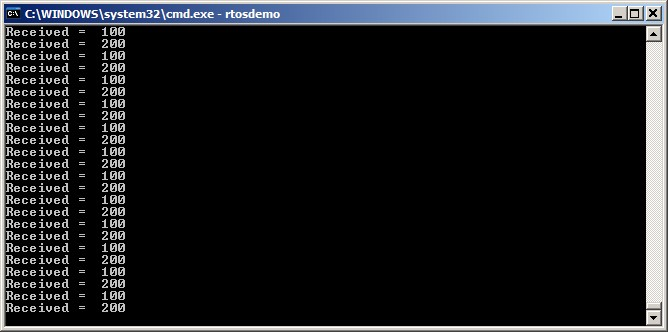
本示例创建一个队列,从多个任务向队列发送数据,并从队列接收数据。队列容纳 int32_t 类型数据项;发送任务不指定阻塞时间,接收任务指定阻塞时间。发送任务优先级低于接收任务,因此队列不应含超过一项:数据一入队,接收任务就解除阻塞、抢占发送任务并取走数据,队列重新变空。
清单 45 是写队列任务的实现。创建该任务两个实例:一个持续写 100,另一个持续写 200 到同一队列;任务参数用于把这些值传入各实例。
static void vSenderTask( void *pvParameters )
{
    int32_t lValueToSend;
    BaseType_t xStatus;

    /* Two instances of this task are created so the value that is sent to the
       queue is passed in via the task parameter - this way each instance can use
       a different value.  The queue was created to hold values of type int32_t,
       so cast the parameter to the required type. */
    lValueToSend = ( int32_t ) pvParameters;

    /* As per most tasks, this task is implemented within an infinite loop. */
    for( ;; )
    {
        /* Send the value to the queue.
           The first parameter is the queue to which data is being sent.  The
           queue was created before the scheduler was started, so before this task
           started to execute.
           The second parameter is the address of the data to be sent, in this case
           the address of lValueToSend.
           The third parameter is the Block time – the time the task should be kept
           in the Blocked state to wait for space to become available on the queue
           should the queue already be full.  In this case a block time is not
           specified because the queue should never contain more than one item, and
           therefore never be full. */
        xStatus = xQueueSendToBack( xQueue, &lValueToSend, 0 );

        if( xStatus != pdPASS )
        {
            /* The send operation could not complete because the queue was full -
               this must be an error as the queue should never contain more than
               one item! */
            vPrintString( "Could not send to the queue.\r\n" );
        }
    }
}
清单 46 是接收任务的实现。接收任务指定 100 毫秒阻塞时间,数据可用前进入阻塞态;队列有数据或 100 毫秒过去仍无数据时离开阻塞态。本例有两个任务持续写队列,100 毫秒超时本不应到期。
static void vReceiverTask( void *pvParameters )
{
/* Declare the variable that will hold the values received from the queue. */
int32_t lReceivedValue;
BaseType_t xStatus;
const TickType_t xTicksToWait = pdMS_TO_TICKS( 100 );

    /* This task is also defined within an infinite loop. */
    for( ;; )
    {
        /* This call should always find the queue empty because this task will
           immediately remove any data that is written to the queue. */
        if( uxQueueMessagesWaiting( xQueue ) != 0 )
        {
            vPrintString( "Queue should have been empty!\r\n" );
        }

        /* Receive data from the queue.
           The first parameter is the queue from which data is to be received.  The
           queue is created before the scheduler is started, and therefore before this
           task runs for the first time.
           The second parameter is the buffer into which the received data will be
           placed.  In this case the buffer is simply the address of a variable that
           has the required size to hold the received data.
           The last parameter is the block time – the maximum amount of time that the
           task will remain in the Blocked state to wait for data to be available
           should the queue already be empty. */
        xStatus = xQueueReceive( xQueue, &lReceivedValue, xTicksToWait );

        if( xStatus == pdPASS )
        {
            /* Data was successfully received from the queue, print out the received
               value. */
            vPrintStringAndNumber( "Received = ", lReceivedValue );
        }
        else
        {
            /* Data was not received from the queue even after waiting for 100ms.
               This must be an error as the sending tasks are free running and will be
               continuously writing to the queue. */
            vPrintString( "Could not receive from the queue.\r\n" );
        }
    }
}
清单 47 是 main() 定义:创建队列与三个任务后启动调度器。队列最多容纳 5 个 int32_t 值,尽管任务优先级设置使队列任一时刻不会超过一项。
/* Declare a variable of type QueueHandle_t.  This is used to store the handle
   to the queue that is accessed by all three tasks. */
QueueHandle_t xQueue;

int main( void )
{
    /* The queue is created to hold a maximum of 5 values, each of which is
       large enough to hold a variable of type int32_t. */
    xQueue = xQueueCreate( 5, sizeof( int32_t ) );

    if( xQueue != NULL )
    {
        /* Create two instances of the task that will send to the queue.  The task
           parameter is used to pass the value that the task will write to the queue,
           so one task will continuously write 100 to the queue while the other task
           will continuously write 200 to the queue.  Both tasks are created at
           priority 1. */
        xTaskCreate( vSenderTask, "Sender1", 1000, ( void * ) 100, 1, NULL );
        xTaskCreate( vSenderTask, "Sender2", 1000, ( void * ) 200, 1, NULL );

        /* Create the task that will read from the queue.  The task is created with
           priority 2, so above the priority of the sender tasks. */
        xTaskCreate( vReceiverTask, "Receiver", 1000, NULL, 2, NULL );

        /* Start the scheduler so the created tasks start executing. */
        vTaskStartScheduler();
    }
    else
    {
        /* The queue could not be created. */
    }

    /* If all is well then main() will never reach here as the scheduler will
       now be running the tasks.  If main() does reach here then it is likely that
       there was insufficient heap memory available for the idle task to be created.
       Chapter 2 provides more information on heap memory management. */
    for( ;; );
}两个发送任务优先级相同,因此轮流向队列发送数据。示例 10 输出见图 32。
4.4从多个数据源接收数据
FreeRTOS 设计中,一个任务从多个数据源接收数据很常见。接收任务需要知道数据来自哪里,以决定如何处理。一种简洁的设计方案:用单个队列传递结构体,结构字段同时包含数据值与数据来源,如图 34 所示。
Data_t 类型结构体的队列,结构成员同时携带数据值与表示数据含义的枚举类型。中央 Controller 任务执行主要系统功能,必须对队列上传达的输入与系统状态变化做出反应。CAN 总线任务封装 CAN 接口功能:收到并解码消息后,把已解码消息以 Data_t 结构发给 Controller 任务;eDataID 成员让 Controller 知道数据是什么(图中是电机转速值),lDataValue 成员给出实际转速值。HMI(人机界面)任务封装所有 HMI 功能:操作员输入新命令后,HMI 任务以 Data_t 结构把命令发给 Controller;eDataID 标识这是新设定值,lDataValue 给出实际设定值。typedef struct
{
ID_t eDataID;
int32_t lDataValue;
} Data_t;4.4.1示例 11:发送时阻塞,并在队列上发送结构体
示例 11 与示例 10 类似,但任务优先级反转:接收任务优先级低于发送任务;队列用于传递结构体而非整数。清单 48 是示例 11 所用结构体定义。
/* Define an enumerated type used to identify the source of the data. */
typedef enum
{
    eSender1,
    eSender2
} DataSource_t;

/* Define the structure type that will be passed on the queue. */
typedef struct
{
    uint8_t ucValue;
    DataSource_t eDataSource;
} Data_t;

/* Declare two variables of type Data_t that will be passed on the queue. */
static const Data_t xStructsToSend[ 2 ] =
{
    { 100, eSender1 }, /* Used by Sender1. */
    { 200, eSender2 }  /* Used by Sender2. */
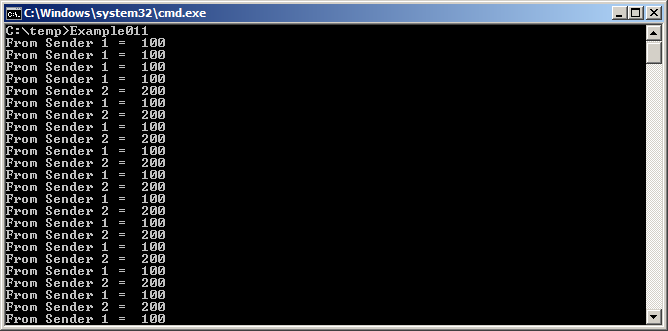
};示例 10 中接收任务优先级最高,队列从不超过一项,源于接收任务在数据入队后立即抢占发送任务。示例 11 中发送任务优先级更高,队列通常是满的:接收任务一取走一项,就被某个发送任务抢占,立刻把队列重新填满;发送任务随后重新进入阻塞态,等待队列再次出现空位。
清单 49 是发送任务实现。发送任务指定 100 毫秒阻塞时间,队列每次变满时进入阻塞态等待空位;队列出现空位或 100 毫秒过去后离开阻塞态。本例接收任务持续取项腾出空位,100 毫秒超时本不应到期。
static void vSenderTask( void *pvParameters )
{
    BaseType_t xStatus;
    const TickType_t xTicksToWait = pdMS_TO_TICKS( 100 );

    /* As per most tasks, this task is implemented within an infinite loop. */
    for( ;; )
    {
        /* Send to the queue.
           The second parameter is the address of the structure being sent.  The
           address is passed in as the task parameter so pvParameters is used
           directly.
           The third parameter is the Block time - the time the task should be kept
           in the Blocked state to wait for space to become available on the queue
           if the queue is already full.  A block time is specified because the
           sending tasks have a higher priority than the receiving task so the queue
           is expected to become full.  The receiving task will remove items from
           the queue when both sending tasks are in the Blocked state. */
        xStatus = xQueueSendToBack( xQueue, pvParameters, xTicksToWait );

        if( xStatus != pdPASS )
        {
            /* The send operation could not complete, even after waiting for 100ms.
               This must be an error as the receiving task should make space in the
               queue as soon as both sending tasks are in the Blocked state. */
            vPrintString( "Could not send to the queue.\r\n" );
        }
    }
}接收任务优先级最低,只在两个发送任务都处于阻塞态时运行;发送任务只在队列满时进入阻塞态,因此接收任务只在队列已满时执行,即使不指定阻塞时间也总是期望收到数据。接收任务实现见清单 50。
static void vReceiverTask( void *pvParameters )
{
/* Declare the structure that will hold the values received from the queue. */
Data_t xReceivedStructure;
BaseType_t xStatus;

    /* This task is also defined within an infinite loop. */
    for( ;; )
    {
        /* Because it has the lowest priority this task will only run when the
           sending tasks are in the Blocked state.  The sending tasks will only enter
           the Blocked state when the queue is full so this task always expects the
           number of items in the queue to be equal to the queue length, which is 3 in
           this case. */
        if( uxQueueMessagesWaiting( xQueue ) != 3 )
        {
            vPrintString( "Queue should have been full!\r\n" );
        }

        /* Receive from the queue.
           The second parameter is the buffer into which the received data will be
           placed.  In this case the buffer is simply the address of a variable that
           has the required size to hold the received structure.
           The last parameter is the block time - the maximum amount of time that the
           task will remain in the Blocked state to wait for data to be available
           if the queue is already empty.  In this case a block time is not necessary
           because this task will only run when the queue is full. */
        xStatus = xQueueReceive( xQueue, &xReceivedStructure, 0 );

        if( xStatus == pdPASS )
        {
            /* Data was successfully received from the queue, print out the received
               value and the source of the value. */
            if( xReceivedStructure.eDataSource == eSender1 )
            {
                vPrintStringAndNumber( "From Sender 1 = ", xReceivedStructure.ucValue );
            }
            else
            {
                vPrintStringAndNumber( "From Sender 2 = ", xReceivedStructure.ucValue );
            }
        }
        else
        {
            /* Nothing was received from the queue.  This must be an error as this
               task should only run when the queue is full. */
            vPrintString( "Could not receive from the queue.\r\n" );
        }
    }
}main() 与上一例差别很小:队列容纳 3 个 Data_t 结构体,收发任务优先级反转,实现见清单 51。
int main( void )
{
    /* The queue is created to hold a maximum of 3 structures of type Data_t. */
    xQueue = xQueueCreate( 3, sizeof( Data_t ) );

    if( xQueue != NULL )
    {
        /* Create two instances of the task that will write to the queue.  The
           parameter is used to pass the structure that the task will write to the
           queue, so one task will continuously send xStructsToSend[ 0 ] to the queue
           while the other task will continuously send xStructsToSend[ 1 ].  Both
           tasks are created at priority 2, which is above the priority of the receiver. */
        xTaskCreate( vSenderTask, "Sender1", 1000, &( xStructsToSend[ 0 ] ), 2, NULL );
        xTaskCreate( vSenderTask, "Sender2", 1000, &( xStructsToSend[ 1 ] ), 2, NULL );

        /* Create the task that will read from the queue.  The task is created with
           priority 1, so below the priority of the sender tasks. */
        xTaskCreate( vReceiverTask, "Receiver", 1000, NULL, 1, NULL );

        /* Start the scheduler so the created tasks start executing. */
        vTaskStartScheduler();
    }
    else
    {
        /* The queue could not be created. */
    }

    /* If all is well then main() will never reach here as the scheduler will
       now be running the tasks.  If main() does reach here then it is likely that
       there was insufficient heap memory available for the idle task to be created.
       Chapter 2 provides more information on heap memory management. */
    for( ;; );
}
4.5处理大尺寸或变长数据
4.5.1排队指针
若存入队列的数据尺寸较大,更可取的做法是用队列传递指向数据的指针,而不是把数据本身逐字节拷进、拷出队列。传递指针在处理时间与创建队列所需 RAM 上都更高效。但排队指针时必须格外注意以下两点:
- 清楚界定被指向 RAM 的归属。经指针在任务间共享内存时,必须确保两个任务不会同时修改内存内容,也不会采取其他导致内存内容失效或不一致的动作。理想情况下:指针入队之前只允许发送任务访问该内存;指针从队列接出之后,只允许接收任务访问该内存。
- 被指向的 RAM 保持有效。若内存是动态分配或取自预分配缓冲区池,则应有且仅有一个任务负责释放内存;内存被释放后任何任务都不得再访问。绝不能用指针访问在任务栈上分配的数据——栈帧改变后该数据即不再有效。
清单 52、53、54 演示如何用队列把指向缓冲区的指针从一个任务发给另一个任务:清单 52 创建最多容纳 5 个指针的队列;清单 53 分配缓冲区、写入字符串后把缓冲区指针发送到队列;清单 54 从队列接收缓冲区指针,打印缓冲区中的字符串。
/* Declare a variable of type QueueHandle_t to hold the handle of the queue being created. */
QueueHandle_t xPointerQueue;

/* Create a queue that can hold a maximum of 5 pointers, in this case character pointers. */
xPointerQueue = xQueueCreate( 5, sizeof( char * ) );
/* A task that obtains a buffer, writes a string to the buffer, then sends the address of the
   buffer to the queue created in Listing 52. */
void vStringSendingTask( void *pvParameters )
{
    char *pcStringToSend;
    const size_t xMaxStringLength = 50;
    BaseType_t xStringNumber = 0;

    for( ;; )
    {
        /* Obtain a buffer that is at least xMaxStringLength characters big.  The implementation
           of prvGetBuffer() is not shown – it might obtain the buffer from a pool of pre-allocated
           buffers, or just allocate the buffer dynamically. */
        pcStringToSend = ( char * ) prvGetBuffer( xMaxStringLength );

        /* Write a string into the buffer. */
        snprintf( pcStringToSend, xMaxStringLength, "String number %d\r\n", xStringNumber );

        /* Increment the counter so the string is different on each iteration of this task. */
        xStringNumber++;

        /* Send the address of the buffer to the queue that was created in Listing 52. The
           address of the buffer is stored in the pcStringToSend variable.*/
        xQueueSend( xPointerQueue,   /* The handle of the queue. */
                    &pcStringToSend, /* The address of the pointer that points to the buffer. */
                    portMAX_DELAY );
    }
}/* A task that receives the address of a buffer from the queue created in Listing 52, and
written to in Listing 53. The buffer contains a string, which is printed out. */
void vStringReceivingTask( void *pvParameters )
{
char *pcReceivedString;
for( ;; )
{
/* Receive the address of a buffer. */
xQueueReceive( xPointerQueue, /* The handle of the queue. */
&pcReceivedString, /* Store the buffer’s address in pcReceivedString. */
portMAX_DELAY );
/* The buffer holds a string, print it out. */
vPrintString( pcReceivedString );
/* The buffer is not required any more - release it so it can be freed, or re-used. */
prvReleaseBuffer( pcReceivedString );
}
}4.5.2用队列发送不同类型与长度的数据
前两节演示了两种强设计模式:向队列发送结构体、向队列发送指针。两者结合,可让一个任务用单个队列接收来自任意数据源的任意数据类型。FreeRTOS+TCP TCP/IP 协议栈的实现就是这种做法的实际范例。
协议栈在自己的任务中运行,必须处理来自多种来源的事件;不同事件类型对应不同类型、不同长度的数据。TCP/IP 任务之外发生的所有事件都用 IPStackEvent_t 类型结构体描述,经队列发送给 TCP/IP 任务。该结构见清单 55,其中 pvData 成员是一个通用指针,既可直接保存一个值,也可指向一个缓冲区。
/* A subset of the enumerated types used in the TCP/IP stack to identify events. */
typedef enum
{
    eNetworkDownEvent = 0, /* The network interface has been lost, or needs (re)connecting. */
    eNetworkRxEvent,       /* A packet has been received from the network. */
    eTCPAcceptEvent,       /* FreeRTOS_accept() called to accept or wait for a new client. */
    /* Other event types appear here but are not shown in this listing. */
} eIPEvent_t;

/* The structure that describes events, and is sent on a queue to the TCP/IP task. */
typedef struct IP_TASK_COMMANDS
{
    /* An enumerated type that identifies the event.  See the eIPEvent_t definition above. */
    eIPEvent_t eEventType;

    /* A generic pointer that can hold a value, or point to a buffer. */
    void *pvData;
} IPStackEvent_t;典型 TCP/IP 事件及其关联数据包括:
- eNetworkRxEvent:从网络收到数据包。收到的数据用
IPStackEvent_t结构发给 TCP/IP 任务,eEventType置为eNetworkRxEvent,pvData指向含接收数据的缓冲区,伪代码见清单 56。 - eTCPAcceptEvent:套接字要接受或等待客户端连接。接受事件从调用
FreeRTOS_accept()的任务用IPStackEvent_t发给协议栈任务,eEventType置为eTCPAcceptEvent,pvData置为接受连接的套接字句柄,伪代码见清单 57。 - eNetworkDownEvent:网络需要连接或重连。网络断开事件从网卡用
IPStackEvent_t发给协议栈任务,eEventType置为eNetworkDownEvent;该事件不关联任何数据,pvData不使用,伪代码见清单 58。
void vSendRxDataToTheTCPTask( NetworkBufferDescriptor_t *pxRxedData )
{
    IPStackEvent_t xEventStruct;

    /* Complete the IPStackEvent_t structure.  The received data is stored in
       pxRxedData. */
    xEventStruct.eEventType = eNetworkRxEvent;
    xEventStruct.pvData = ( void * ) pxRxedData;

    /* Send the IPStackEvent_t structure to the TCP/IP task. */
    xSendEventStructToIPTask( &xEventStruct );
}void vSendAcceptRequestToTheTCPTask( Socket_t xSocket )
{
IPStackEvent_t xEventStruct;
/* Complete the IPStackEvent_t structure. */
xEventStruct.eEventType = eTCPAcceptEvent;
xEventStruct.pvData = ( void * ) xSocket;
/* Send the IPStackEvent_t structure to the TCP/IP task. */
xSendEventStructToIPTask( &xEventStruct );
}void vSendNetworkDownEventToTheTCPTask( Socket_t xSocket )
{
IPStackEvent_t xEventStruct;
/* Complete the IPStackEvent_t structure. */
xEventStruct.eEventType = eNetworkDownEvent;
xEventStruct.pvData = NULL; /* Not used, but set to NULL for completeness. */
/* Send the IPStackEvent_t structure to the TCP/IP task. */
xSendEventStructToIPTask( &xEventStruct );
}在 TCP/IP 任务内接收并处理这些事件的代码见清单 59。可见:从队列收到的 IPStackEvent_t 结构中,eEventType 成员决定了 pvData 成员应如何解释。
IPStackEvent_t xReceivedEvent;

    /* Block on the network event queue until either an event is received, or xNextIPSleep ticks
       pass without an event being received.  eEventType is set to eNoEvent in case the call to
       xQueueReceive() returns because it timed out, rather than because an event was received. */
    xReceivedEvent.eEventType = eNoEvent;
    xQueueReceive( xNetworkEventQueue, &xReceivedEvent, xNextIPSleep );

    /* Which event was received, if any? */
    switch( xReceivedEvent.eEventType )
    {
        case eNetworkDownEvent :
            /* Attempt to (re)establish a connection.  This event is not associated with any
               data. */
            prvProcessNetworkDownEvent();
            break;

        case eNetworkRxEvent:
            /* The network interface has received a new packet.  A pointer to the received data
               is stored in the pvData member of the received IPStackEvent_t structure.  Process
               the received data. */
            prvHandleEthernetPacket( ( NetworkBufferDescriptor_t * )( xReceivedEvent.pvData ) );
            break;

        case eTCPAcceptEvent:
            /* The FreeRTOS_accept() API function was called.  The handle of the socket that is
               accepting a connection is stored in the pvData member of the received IPStackEvent_t
               structure. */
            xSocket = ( FreeRTOS_Socket_t * ) ( xReceivedEvent.pvData );
            xTCPCheckNewClient( pxSocket );
            break;

        /* Other event types are processed in the same way, but are not shown here. */
}4.6从多个队列接收(队列集)
应用设计常要求单个任务接收不同大小、不同含义、来自不同来源的数据。上一节展示了用单个接收结构体的队列以简洁高效方式做到这一点。但有时设计者受约束限制了选择,不得不为某些数据源使用独立队列——例如要集成进设计的第三方代码可能假定存在专用队列。这种情况下可以使用“队列集(queue set)”。
队列集使任务能够从多个队列接收数据,而无需轮询每个队列判断哪个(若有)含有数据。用队列集从多来源接收数据,不如用单个接收结构体的队列那样简洁高效;因此建议仅在设计约束确实迫使必须使用时才用队列集。
使用队列集分三步:① 创建队列集;② 把队列(信号量也可加入队列集,信号量见本书后文)加入集合;③ 从队列集读取,判断集合中哪些队列含数据。
当集合成员队列收到数据时,该队列的句柄被送入队列集;任务调用读取队列集的函数时句柄返回。因此若从队列集返回了队列句柄,即可知该句柄所指队列含有数据,任务随后可直接从该队列读取。
FreeRTOSConfig.h 中把 configUSE_QUEUE_SETS 编译期配置常量设为 1 来启用。4.6.1xQueueCreateSet() API 函数
队列集必须显式创建后才能使用。队列集由 QueueSetHandle_t 类型句柄引用;xQueueCreateSet() 创建队列集并返回引用所创建集合的句柄。
QueueSetHandle_t xQueueCreateSet( const UBaseType_t uxEventQueueLength );
| 参数名 | 说明 |
|---|---|
| uxEventQueueLength | 定义所创建队列集任一时刻最多可保存的队列句柄数。队列句柄只在集合内某队列收到数据时才送入集合;队列满时无法再收数据,因此集合内所有队列都满时不会再有句柄送入。队列集任一时刻最多需保存的项数,等于集合中每个队列长度之和。例如集合中有 3 个空队列、每个长度为 5,则全部填满前共可接收 15 项(3×5),此时 uxEventQueueLength 必须设为 15,才能保证集合收得下每个发送来的项。信号量也可加入队列集:二值信号量长度按 1 计,计数信号量长度按其最大计数值计。再如集合含一个长度 3 的队列和一个二值信号量(长度 1),uxEventQueueLength 必须设为 4(3+1)。 |
| 返回值 | 返回 NULL 表示队列集无法创建:可用堆内存不足,FreeRTOS 无法分配集合数据结构与存储区;返回非 NULL 表示创建成功,返回值应保存为所创建队列集的句柄。 |
4.6.2xQueueAddToSet() API 函数
xQueueAddToSet() 把队列或信号量加入队列集。
BaseType_t xQueueAddToSet( QueueSetMemberHandle_t xQueueOrSemaphore,
QueueSetHandle_t xQueueSet );| 参数名 / 返回值 | 说明 |
|---|---|
| xQueueOrSemaphore | 待加入队列集的队列或信号量句柄。队列句柄与信号量句柄都可转换为 QueueSetMemberHandle_t 类型。 |
| xQueueSet | 目标队列集句柄。 |
| 返回值 | 两种可能:pdPASS 仅在队列或信号量成功加入集合时返回;pdFAIL 表示未能加入。队列与二值信号量只能在空时加入集合;计数信号量只能在计数为 0 时加入;队列与信号量任一时刻只能是一个集合的成员。 |
4.6.3xQueueSelectFromSet() API 函数
xQueueSelectFromSet() 从队列集读取一个队列句柄。当集合成员队列或信号量收到数据时,其句柄被送入队列集,并在任务调用 xQueueSelectFromSet() 时返回。若调用返回句柄,则该句柄所指队列或信号量已知含有数据,调用任务随后必须直接从该队列或信号量读取。
xQueueSelectFromSet() 返回,否则不要读取作为集合成员的队列或信号量;每次从 xQueueSelectFromSet() 返回一个句柄后,只从对应队列或信号量读取一项。QueueSetMemberHandle_t xQueueSelectFromSet( QueueSetHandle_t xQueueSet,
const TickType_t xTicksToWait );| 参数名 / 返回值 | 说明 |
|---|---|
| xQueueSet | 从中接收(读取)队列句柄或信号量句柄的队列集句柄,来自创建集合的 xQueueCreateSet()。 |
| xTicksToWait | 若集合中所有队列与信号量都为空,调用任务在阻塞态等待从集合收到句柄的最长时间。为 0 且集合全空时立即返回。阻塞时间以节拍周期指定,绝对时长取决于节拍频率;可用 pdMS_TO_TICKS() 换算毫秒;设为 portMAX_DELAY 在 INCLUDE_vTaskSuspend 为 1 时无限等待。 |
| 返回值 | 非 NULL 返回值是一个已知含有数据的队列或信号量句柄;若指定了阻塞时间,调用任务可能曾进入阻塞态等待集合成员出现数据,但在阻塞时间到期前已成功读到句柄。句柄以 QueueSetMemberHandle_t 类型返回,可转换为 QueueHandle_t 或 SemaphoreHandle_t。返回 NULL 表示未能从集合读到句柄;若指定了阻塞时间,则调用任务曾阻塞等待另一任务或中断向集合成员发送数据,但在那之前阻塞时间已到期。 |
4.6.4示例 12:使用队列集
本示例创建两个发送任务和一个接收任务:发送任务分别在两个独立队列上向接收任务发数据,每个任务对应一个队列;两个队列加入同一队列集,接收任务从队列集读取以判断哪个队列含有数据。任务、队列与队列集都在 main() 中创建,见清单 63。
/* Declare two variables of type QueueHandle_t.  Both queues are added to the same
   queue set. */
static QueueHandle_t xQueue1 = NULL, xQueue2 = NULL;

/* Declare a variable of type QueueSetHandle_t.  This is the queue set to which the
   two queues are added. */
static QueueSetHandle_t xQueueSet = NULL;

int main( void )
{
    /* Create the two queues, both of which send character pointers.  The  priority
       of the receiving task is above the priority of the sending tasks, so the queues
       will never have more than one item in them at any one time*/
    xQueue1 = xQueueCreate( 1, sizeof( char * ) );
    xQueue2 = xQueueCreate( 1, sizeof( char * ) );

    /* Create the queue set.  Two queues will be added to the set, each of which can
       contain 1 item, so the maximum number of queue handles the queue set will ever
       have to hold at one time is 2 (2 queues multiplied by 1 item per queue). */
    xQueueSet = xQueueCreateSet( 1 * 2 );

    /* Add the two queues to the set. */
    xQueueAddToSet( xQueue1, xQueueSet );
    xQueueAddToSet( xQueue2, xQueueSet );

    /* Create the tasks that send to the queues. */
    xTaskCreate( vSenderTask1, "Sender1", 1000, NULL, 1, NULL );
    xTaskCreate( vSenderTask2, "Sender2", 1000, NULL, 1, NULL );

    /* Create the task that reads from the queue set to determine which of the two
       queues contain data. */
    xTaskCreate( vReceiverTask, "Receiver", 1000, NULL, 2, NULL );

    /* Start the scheduler so the created tasks start executing. */
    vTaskStartScheduler();

    /* As normal, vTaskStartScheduler() should not return, so the following lines
       Will never execute. */
    for( ;; );
    return 0;
}第一个发送任务每 100 毫秒用 xQueue1 发一个字符指针;第二个每 200 毫秒用 xQueue2 发一个字符指针。指针指向标识发送任务的字符串。两个发送任务实现见清单 64。
void vSenderTask1( void *pvParameters )
{
    const TickType_t xBlockTime = pdMS_TO_TICKS( 100 );
    const char * const pcMessage = "Message from vSenderTask1\r\n";

    /* As per most tasks, this task is implemented within an infinite loop. */
    for( ;; )
    {
        /* Block for 100ms. */
        vTaskDelay( xBlockTime );

        /* Send this task's string to xQueue1. It is not necessary to use a block
           time, even though the queue can only hold one item.  This is because the
           priority of the task that reads from the queue is higher than the priority of
           this task; as soon as this task writes to the queue it will be pre-empted by
           the task that reads from the queue, so the queue will already be empty again
           by the time the call to xQueueSend() returns.  The block time is set to 0. */
        xQueueSend( xQueue1, &pcMessage, 0 );
    }
}

/*-----------------------------------------------------------*/

void vSenderTask2( void *pvParameters )
{
    const TickType_t xBlockTime = pdMS_TO_TICKS( 200 );
    const char * const pcMessage = "Message from vSenderTask2\r\n";

    /* As per most tasks, this task is implemented within an infinite loop. */
    for( ;; )
    {
        /* Block for 200ms. */
        vTaskDelay( xBlockTime );

        /* Send this task's string to xQueue2. It is not necessary to use a block
           time, even though the queue can only hold one item.  This is because the
           priority of the task that reads from the queue is higher than the priority of
           this task; as soon as this task writes to the queue it will be pre-empted by
           the task that reads from the queue, so the queue will already be empty again
           by the time the call to xQueueSend() returns.  The block time is set to 0. */
        xQueueSend( xQueue2, &pcMessage, 0 );
    }
}被发送任务写入的队列是同一队列集成员。任务每次向某队列发送,该队列句柄就被送入集合。接收任务调用 xQueueSelectFromSet() 从集合读取队列句柄;收到句柄后即知所指队列含数据,于是直接从该队列读取;读到的是指向字符串的指针,接收任务将其打印。
若 xQueueSelectFromSet() 调用超时则返回 NULL。示例 12 中以无限阻塞时间调用,因此永不超时,只会返回有效句柄,使用返回值前无需检查是否为 NULL。xQueueSelectFromSet() 只在所指队列含数据时才返回其句柄,因此从队列读取时不必使用阻塞时间。接收任务实现见清单 65。
void vReceiverTask( void *pvParameters )
{
    QueueHandle_t xQueueThatContainsData;
    char *pcReceivedString;

   /* As per most tasks, this task is implemented within an infinite loop. */
   for( ;; )
   {
       /* Block on the queue set to wait for one of the queues in the set to contain data.
          Cast the QueueSetMemberHandle_t value returned from xQueueSelectFromSet() to a
          QueueHandle_t, as it is known all the members of the set are queues (the queue set
          does not contain any semaphores). */
       xQueueThatContainsData = ( QueueHandle_t ) xQueueSelectFromSet( xQueueSet,
                                                                       portMAX_DELAY );

       /* An indefinite block time was used when reading from the queue set, so
          xQueueSelectFromSet() will not have returned unless one of the queues in the set
          contained data, and xQueueThatContainsData cannot be NULL.  Read from the queue. It
          is not necessary to specify a block time because it is known the queue contains
          data.  The block time is set to 0. */
       xQueueReceive( xQueueThatContainsData, &pcReceivedString, 0 );

       /* Print the string received from the queue. */
       vPrintString( pcReceivedString );
   }
}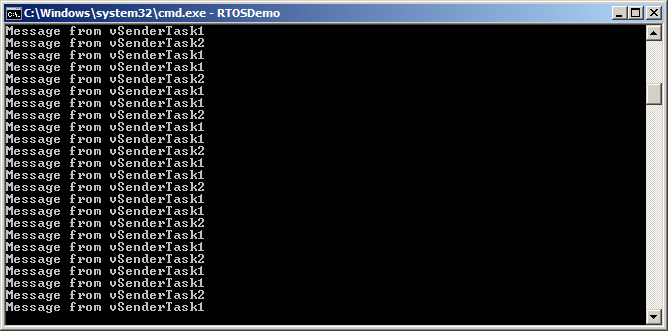
可见接收任务收到了来自两个发送任务的字符串。vSenderTask1() 的阻塞时间是 vSenderTask2() 的一半,因此前者发出的字符串打印频率是后者的两倍。
4.6.5更贴近实际的队列集用例
示例 12 非常简化:集合中只有队列,且两个队列都用于发送字符指针。实际应用中,队列集可能同时包含队列与信号量,队列也未必都保存同一数据类型。这种情况下,使用 xQueueSelectFromSet() 返回值之前必须先判断它。清单 66 演示集合成员为:① 一个二值信号量;② 一个读取字符指针的队列;③ 一个读取 uint32_t 值的队列时,如何使用返回值。清单假定队列与信号量已创建并加入集合。
/* The handle of the queue from which character pointers are received. */
QueueHandle_t xCharPointerQueue;

/* The handle of the queue from which uint32_t values are received. */
QueueHandle_t xUint32tQueue;

/* The handle of the binary semaphore. */
SemaphoreHandle_t xBinarySemaphore;

/* The queue set to which the two queues and the binary semaphore belong. */
QueueSetHandle_t xQueueSet;

void vAMoreRealisticReceiverTask( void *pvParameters )
{
    QueueSetMemberHandle_t xHandle;
    char *pcReceivedString;
    uint32_t ulRecievedValue;
    const TickType_t xDelay100ms = pdMS_TO_TICKS( 100 );

   for( ;; )
   {
      /* Block on the queue set for a maximum of 100ms to wait for one of the members of
         the set to contain data. */
      xHandle = xQueueSelectFromSet( xQueueSet, xDelay100ms );

      /* Test the value returned from xQueueSelectFromSet().  If the returned value is
         NULL then the call to xQueueSelectFromSet() timed out.  If the returned value is not
         NULL then the returned value will be the handle of one of the set’s members.  The
         QueueSetMemberHandle_t value can be cast to either a QueueHandle_t or a
         SemaphoreHandle_t.  Whether an explicit cast is required depends on the compiler. */
      if( xHandle == NULL )
      {
         /* The call to xQueueSelectFromSet() timed out. */
      }
      else if( xHandle == ( QueueSetMemberHandle_t ) xCharPointerQueue )
      {
         /* The call to xQueueSelectFromSet() returned the handle of the queue that
            receives character pointers.  Read from the queue.  The queue is known to contain
            data, so a block time of 0 is used. */
         xQueueReceive( xCharPointerQueue, &pcReceivedString, 0 );

         /* The received character pointer can be processed here... */
      }
      else if( xHandle == ( QueueSetMemberHandle_t ) xUint32tQueue )
      {
         /* The call to xQueueSelectFromSet() returned the handle of the queue that
            receives uint32_t types.  Read from the queue.  The queue is known to contain
            data, so a block time of 0 is used. */
         xQueueReceive(xUint32tQueue, &ulRecievedValue, 0 );

         /* The received value can be processed here... */
      }
      Else if( xHandle == ( QueueSetMemberHandle_t ) xBinarySemaphore )
      {
         /* The call to xQueueSelectFromSet() returned the handle of the binary semaphore.
            Take the semaphore now.  The semaphore is known to be available so a block time
            of 0 is used. */
         xSemaphoreTake( xBinarySemaphore, 0 );

         /* Whatever processing is necessary when the semaphore is taken can be performed
            here... */
      }
   }
}4.7用队列创建邮箱
嵌入式社区对术语并无统一约定,“邮箱(mailbox)”在不同 RTOS 中含义不同。本书中邮箱指长度为 1 的队列。队列被称作邮箱,往往是因为它在应用中的使用方式,而非与普通队列有功能差异:
- 队列用于把数据从一个任务发到另一任务,或从中断服务程序发到任务。发送者把项放入队列,接收者把项取出;数据经队列从发送者流向接收者。
- 邮箱用于保存可被任意任务或中断服务程序读取的数据。数据并不“穿过”邮箱,而是留在邮箱中直到被覆盖:发送者覆盖邮箱中的值;接收者读取邮箱中的值,但不把值从邮箱移除。
本节介绍两个可把队列当作邮箱使用的队列 API 函数。清单 67 创建一个用作邮箱的队列。
/* A mailbox can hold a fixed size data item.  The size of the data item is set
   when the mailbox (queue) is created.  In this example the mailbox is created to
   hold an Example_t structure.  Example_t includes a time stamp to allow the data held
   in the mailbox to note the time at which the mailbox was last updated.  The time
   stamp used in this example is for demonstration purposes only - a mailbox can hold
   any data the application writer wants, and the data does not need to include a time
   stamp. */
typedef struct xExampleStructure
{
    TickType_t xTimeStamp;
    uint32_t ulValue;
} Example_t;

/* A mailbox is a queue, so its handle is stored in a variable of type
   QueueHandle_t. */
QueueHandle_t xMailbox;

void vAFunction( void )
{
    /* Create the queue that is going to be used as a mailbox.  The queue has a
       length of 1 to allow it to be used with the xQueueOverwrite() API function, which
       is described below. */
    xMailbox = xQueueCreate( 1, sizeof( Example_t ) );
}4.7.1xQueueOverwrite() API 函数
xQueueOverwrite() 与 xQueueSendToBack() 一样向队列发送数据;不同之处在于:队列已满时,xQueueOverwrite() 会覆盖队列中已有的数据。
xQueueOverwrite() 只应配合长度为 1 的队列使用。这一限制避免函数实现中被迫在满队列里主观决定覆盖哪一项。
xQueueOverwrite();应改用中断安全版本 xQueueOverwriteFromISR()。BaseType_t xQueueOverwrite( QueueHandle_t xQueue, const void * pvItemToQueue );
| 参数名 / 返回值 | 说明 |
|---|---|
| xQueue | 数据被发送(写入)到的队列句柄,来自创建队列的 xQueueCreate()。 |
| pvItemToQueue | 指向待拷贝进队列数据的指针。队列每项大小在创建时设定,从 pvItemToQueue 拷贝相应字节数到队列存储区。 |
| 返回值 | 队列满时 xQueueOverwrite() 仍会写入队列,因此唯一可能返回值为 pdPASS。 |
清单 69 演示用 xQueueOverwrite() 写入清单 67 创建的邮箱(队列)。
void vUpdateMailbox( uint32_t ulNewValue )
{
    /* Example_t was defined in Listing 67. */
    Example_t xData;

    /* Write the new data into the Example_t structure.*/
    xData.ulValue = ulNewValue;

    /* Use the RTOS tick count as the time stamp stored in the Example_t structure. */
    xData.xTimeStamp = xTaskGetTickCount();

    /* Send the structure to the mailbox - overwriting any data that is already in the
       mailbox. */
    xQueueOverwrite( xMailbox, &xData );
}4.7.2xQueuePeek() API 函数
xQueuePeek() 用于从队列接收(读取)一项,但不从队列移除该项。它从队列头部接收数据,不修改队列中已存数据,也不改变数据在队列中的顺序。
xQueuePeek();应改用中断安全版本 xQueuePeekFromISR()。xQueuePeek() 的函数参数与返回值与 xQueueReceive() 相同。
BaseType_t xQueuePeek( QueueHandle_t xQueue,
                       void * const pvBuffer,
                       TickType_t xTicksToWait );
清单 71 演示用 xQueuePeek() 读取清单 69 投递到邮箱(队列)的项。
BaseType_t vReadMailbox( Example_t *pxData )
{
    TickType_t xPreviousTimeStamp;
    BaseType_t xDataUpdated;

    /* This function updates an Example_t structure with the latest value received
       from the mailbox.  Record the time stamp already contained in *pxData before it
       gets overwritten by the new data. */
    xPreviousTimeStamp = pxData->xTimeStamp;

    /* Update the Example_t structure pointed to by pxData with the data contained in
       the mailbox.  If xQueueReceive() was used here then the mailbox would be left
       empty, and the data could not then be read by any other tasks.  Using
       xQueuePeek() instead of xQueueReceive() ensures the data remains in the mailbox.
       A block time is specified, so the calling task will be placed in the Blocked
       state to wait for the mailbox to contain data should the mailbox be empty.  An
       infinite block time is used, so it is not necessary to check the value returned
       from xQueuePeek(), as xQueuePeek() will only return when data is available. */
    xQueuePeek( xMailbox, pxData, portMAX_DELAY );

    /* Return pdTRUE if the value read from the mailbox has been updated since this
       function was last called.  Otherwise return pdFALSE. */
    if( pxData->xTimeStamp > xPreviousTimeStamp )
    {
        xDataUpdated = pdTRUE;
    }
    else
    {
        xDataUpdated = pdFALSE;
    }

    return xDataUpdated;
}